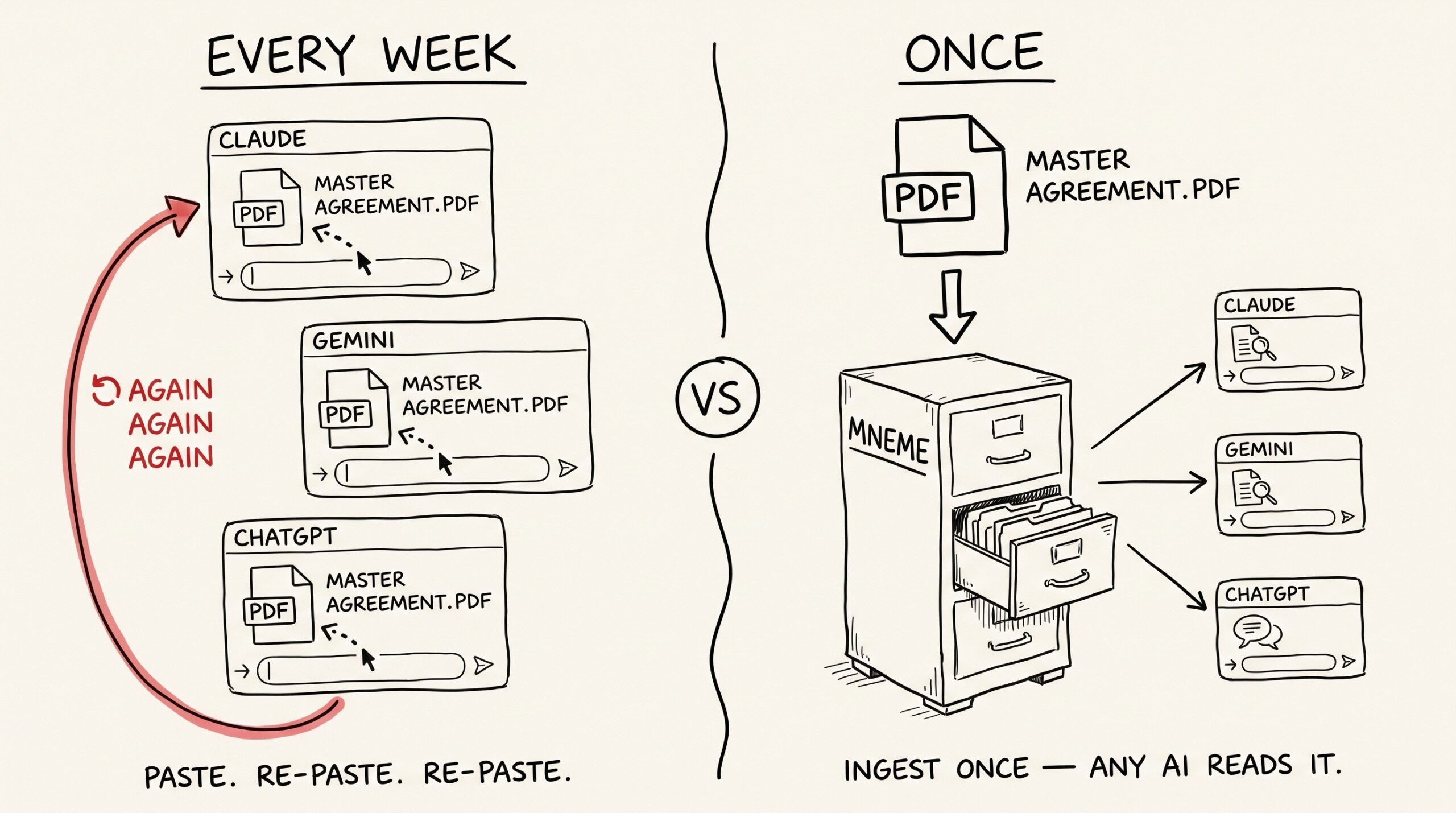
You’ve pasted the same twelve-page master services agreement into three different chats this month. Once for the indemnification clause. Once for a question about IP assignment. Once because you forgot what the renewal terms said. Each time, the same upload, the same patient summary by the assistant, the same chat-window context burned on a document you already have.
Call this the PDF tax — the daily, silent cost of pasting PDFs into AI on real documents. This post is about the one habit that ends it.
Why pasting PDFs is a daily tax
Most AI products treat documents as a per-conversation thing. You upload a PDF, the model reads it, you ask questions, you close the chat — and the document is gone, or trapped in a thread you’ll never scroll back to. Some products try to fix this with “projects” or “knowledge bases,” and those help inside one product. They don’t help when you switch.
The result is that everyone with a real job has accumulated a small library of documents — contracts, research papers, board decks, RFPs, IRS notices, the home inspection report — that they keep re-feeding to AI because there’s nowhere else for the AI to look.
Mneme is the nowhere-else.
How a PDF gets into Mneme
You don’t open the Mneme app to upload anything. You hand the PDF to your AI assistant in whatever harness you’re already in — Claude Desktop, Claude mobile, Gemini, Cursor, ChatGPT — and tell it “add this to Mneme.”
The assistant talks to Mneme through the standard your harness already speaks (MCP — the connector protocol your assistant uses to call tools on your behalf). Mneme stores the original bytes, parses the document into searchable text page by page, and indexes it. The AI gets confirmation in the same chat. You move on.
A typical PDF is searchable in under a minute. A long operating manual takes a few. You can keep working in the meantime — the assistant doesn’t have to sit and wait.
When you want to verify it landed, open Files Mneme has ingested in the Mneme app. Filter to pdf. The document is there with a thumbnail, a page count, and a preview. That’s the receipt.
The day-after experience
Skip ahead a week. You’re in Claude Desktop drafting a response to a counterparty’s redline.
You ask: “What does the master agreement say about IP assignment, and does the redline match?”
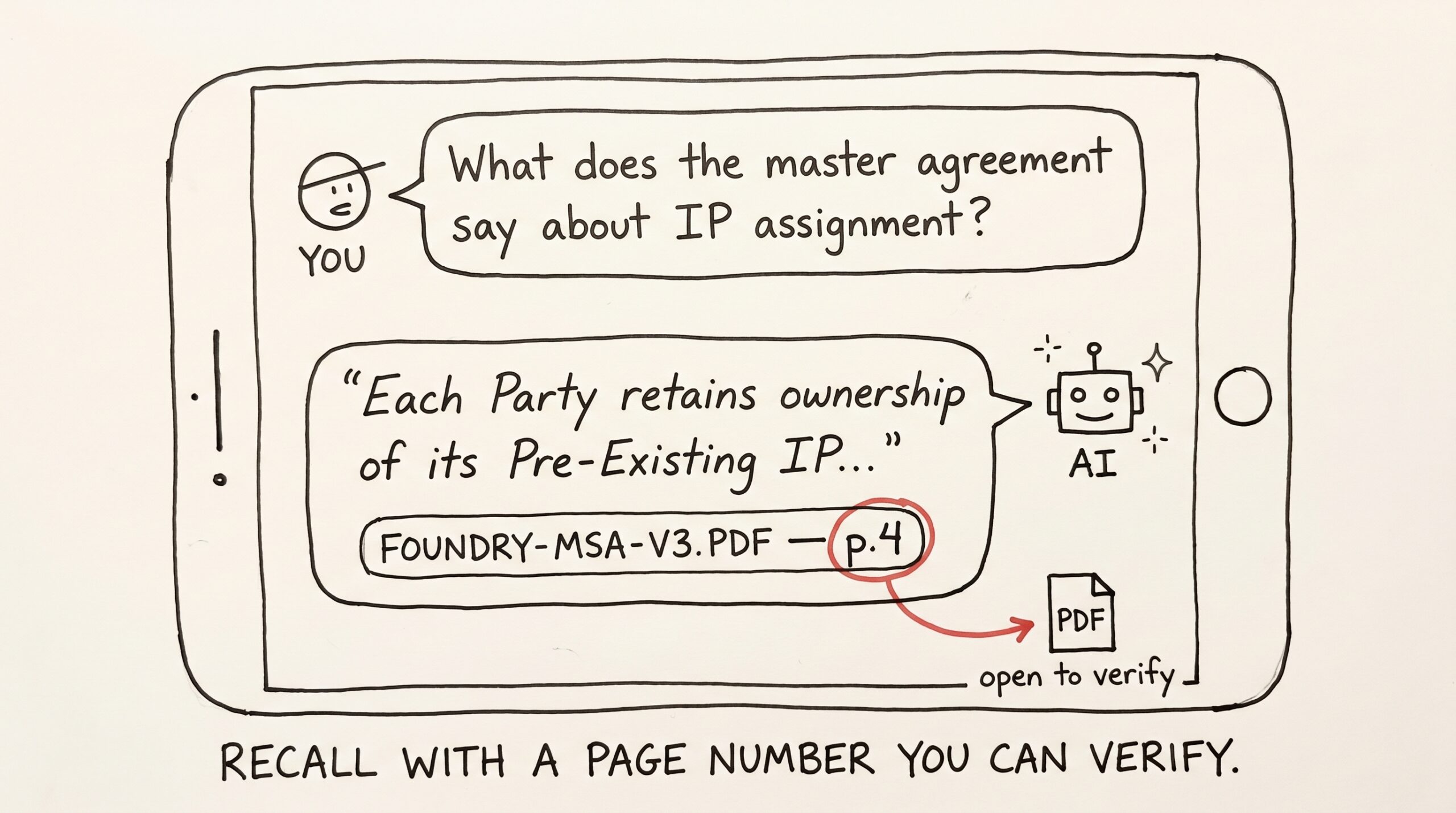
A few seconds pass while Claude searches Mneme. The answer comes back as a quote from the right paragraph, with the page number it came from:
From
foundry-msa-v3.pdf(p.4): “Each Party retains ownership of its Pre-Existing IP. All IP created in the course of performing Services and specifically funded by Client shall be assigned to Client upon delivery and final payment, except for general tooling, libraries, and methods of work that pre-exist or are developed independently of the Services.”
The assistant compares the quote to the redline, drafts a response. You did not re-upload the master agreement. You did not skim the document to find page 4. You did not even leave the chat to verify, because you can — the citation tells you exactly where to look.
That’s the day-after experience. Recall, with a page number, in any AI you happen to be using.
Folders are how you keep your sanity
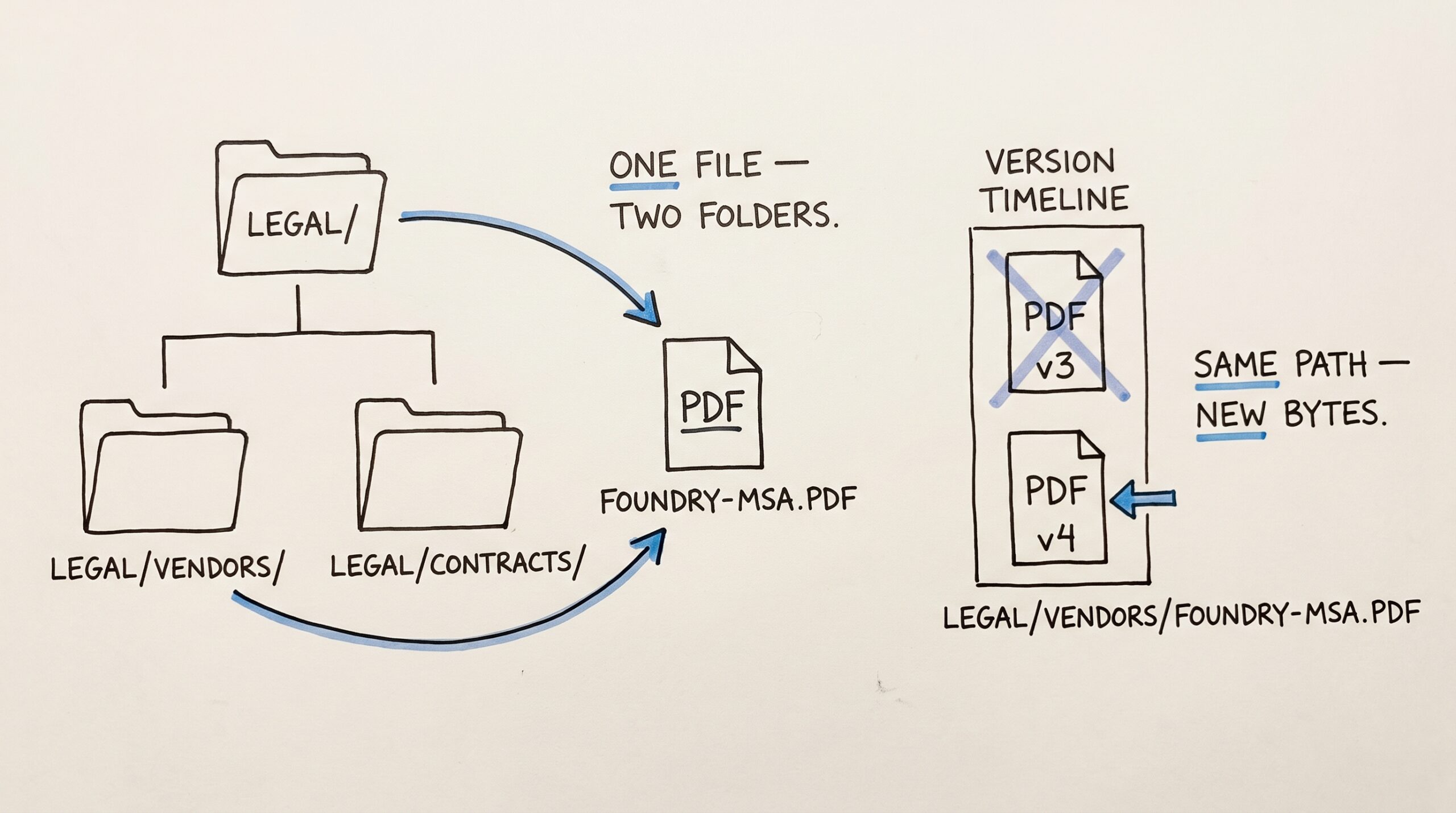
When you ingest a PDF, you (or the AI) can give it a folder path — “put this in Legal/Vendors/,” “file it under Tax/2026/.” Mneme treats folders as facets, not nested directories: a document can sit under Legal/ and Legal/Vendors/ at the same time, and a search can scope to either prefix.
A handful of patterns keep working for people:
Legal/— every contract, every NDA, every termination letter. Tag with the counterparty.Research/— papers and reports you read for work. Tag by topic so a literature pull-up later is cheap.Tax/2026/— receipts (photos) and statements (PDFs) tagged by category.Home/— the inspection report, appliance manuals, the floorplan, title insurance.Health/— lab results, imaging reports, prescription instructions. Many people keep this in their personal context so it stays out of work searches.
When you want to know what’s in a folder, your assistant can list it deterministically — newest first, no probabilistic guessing about what’s “relevant.” It’s the AI-readable answer to “open the Legal folder.”
What re-ingesting a redlined version looks like
PDFs evolve. The master agreement gets a new version; the lab repeats a test; the home inspector sends an updated report.
Mneme is built so that re-ingesting the same path replaces the document in place. If you re-feed Legal/Vendors/foundry-msa.pdf after the counterparty sends a v4, Mneme notices the bytes have changed, drops the old indexed text, and re-indexes the new one — at the same path, under the same name. Every search hit, every saved memory that referenced “the master agreement,” every chat that quoted page 4 still resolves to the right document. The path is the canonical name; the bytes are interchangeable underneath.
If the bytes haven’t changed (you re-fed the same file by mistake), Mneme notices that too and does nothing expensive. You don’t have to think about deduplication.
Tradeoffs Mneme will be honest about
The PDF reader inside Mneme reads text, not pictures. If your PDF is a scan of a paper document — a faxed lease, a printed contract photographed page by page — the text extractor will mostly come back empty, because there’s no embedded text layer to read. For those, photograph the pages and ingest them as images instead. The OCR path handles scanned content; the PDF path doesn’t, today.
Tables suffer. A wide three-column table can come back as flowed text, which means a dense bank statement or a multi-row lab panel may answer poorly when you ask narrow questions. For those, fall back to the source document when precision matters — Mneme’s preview drawer renders the original PDF page by page, exactly as it came in.
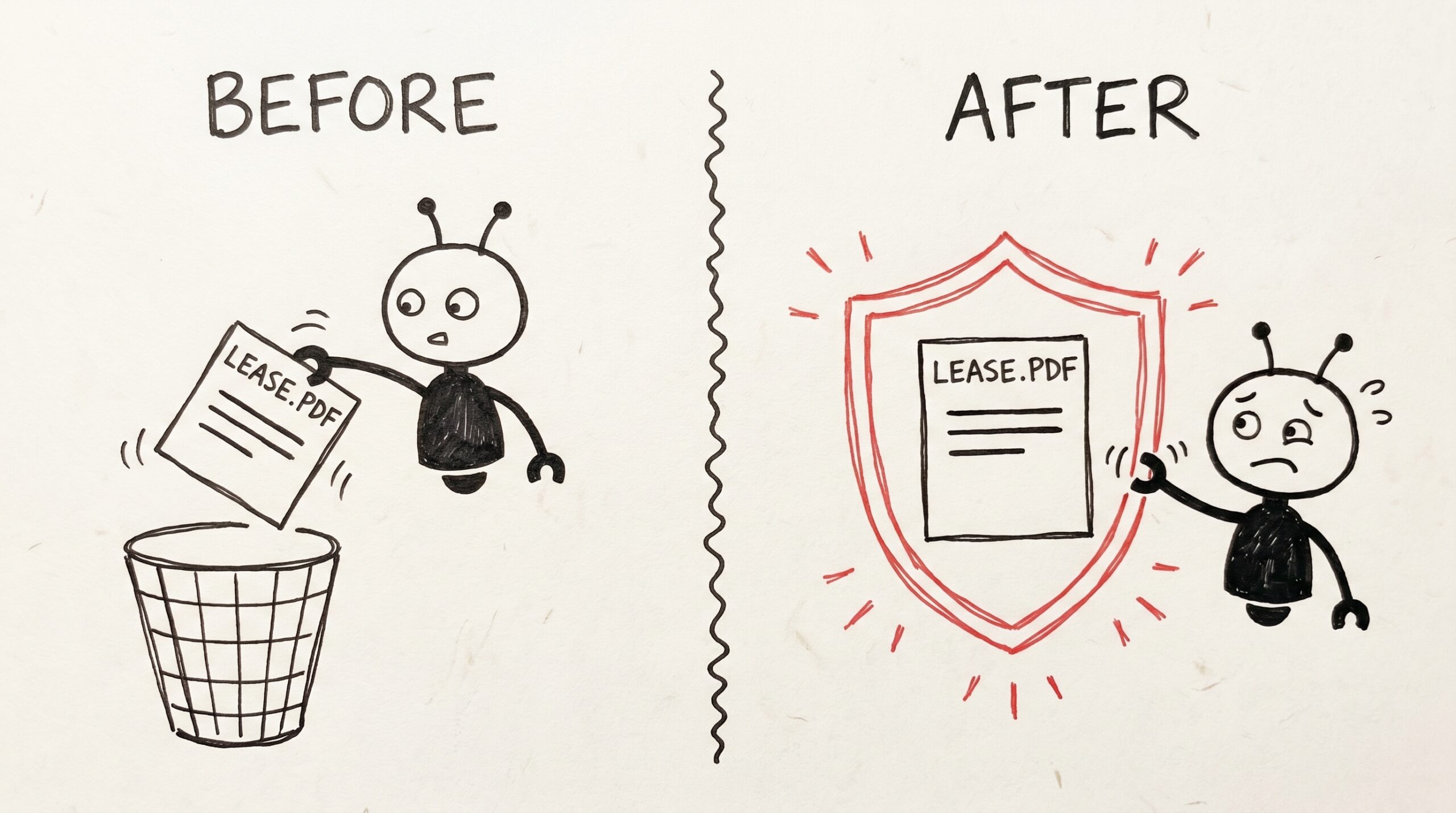
And — repeating the privacy point because it earns repeating — the document never leaves your corner of Mneme. There is no shared library, no admin path that resolves your files, no warehouse copy. Mneme can’t see your PDFs; it just stores them and hands the right paragraph back to whichever AI you authorized. The flip side: deletion is permanent. If you delete a document from your vault, the bytes are gone, full stop — there is no soft-delete tier. For the PDFs you can’t afford to lose by accident, Mneme has a protect flip switch — flip it on the document (or ask any connected AI to do it for you), and that PDF can’t be deleted or overwritten until you flip it back. Every assistant you’ve authorized can still read it; none of them can remove it.
What to try first
The right first PDF to ingest is the one you’ve pasted into a chat more than once.
If you can’t think of one, look in your downloads folder for the PDFs you actually opened in the last month. The lease. The Costco receipt that’s actually a 4-page itemized statement. The doctor’s after-visit summary. The product spec you wrote and now reference daily. Hand those to your assistant and say “add these to Mneme under Personal/.”
Then for the next week, when you reach for an AI to ask about a document, don’t paste it. See whether the answer comes back from your vault first. The first three or four times it works, it’ll feel like cheating. Then it’ll feel like the way it should have always worked.
Once a few PDFs are in, the next post in this series makes a stronger case: that the same memory follows you between assistants. I switched from Claude to Gemini for a week. My AI didn’t notice.
Or start your vault and ingest your first PDF before you forget.
The little switch that keeps your AI from deleting the lease
You photographed the lease last March. You tagged it, you searched it twice, you forgot about it. Today you ask your assistant to "clean up old documents I don’t need…
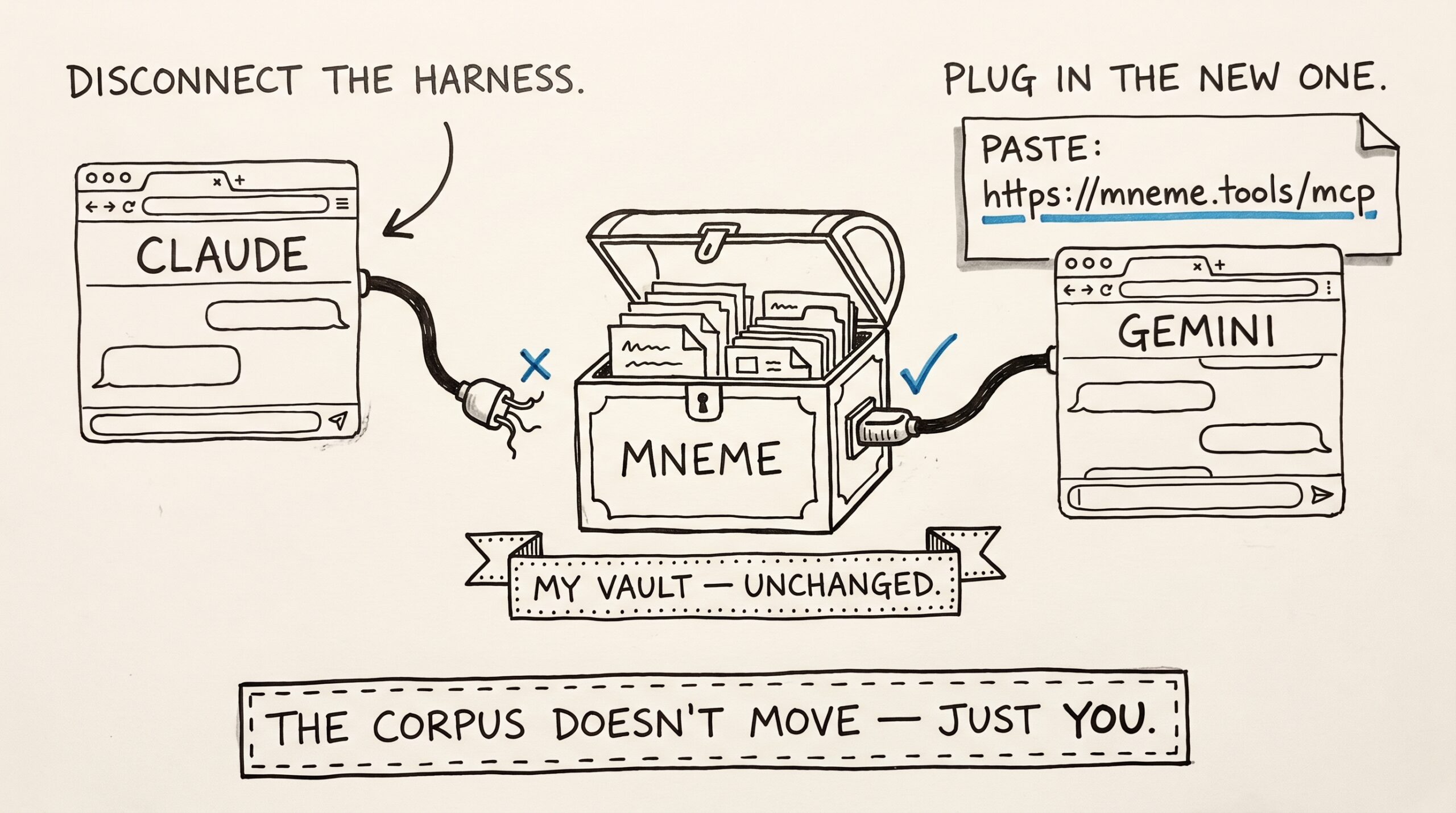
I switched from Claude to Gemini for a week. My AI didn’t notice.
A year ago I switched from ChatGPT to Claude. I'd taught ChatGPT my preferences for a year — pull-request style, the right tone for emails to my accountant, what "the…