If you keep an Obsidian vault, you have already done the hard part of building a personal knowledge base. You’ve decided what’s worth writing down. You’ve built a folder structure that mostly survives contact with reality. You’ve accumulated some number of meeting notes and journal entries and project briefs and references that, taken together, are a real picture of your work and life.
What you probably haven’t done is make any of that visible to your AI. It sits in markdown files on your laptop. The assistants you use every day — Claude Desktop, Claude mobile, Cursor, Gemini — can’t see any of it.
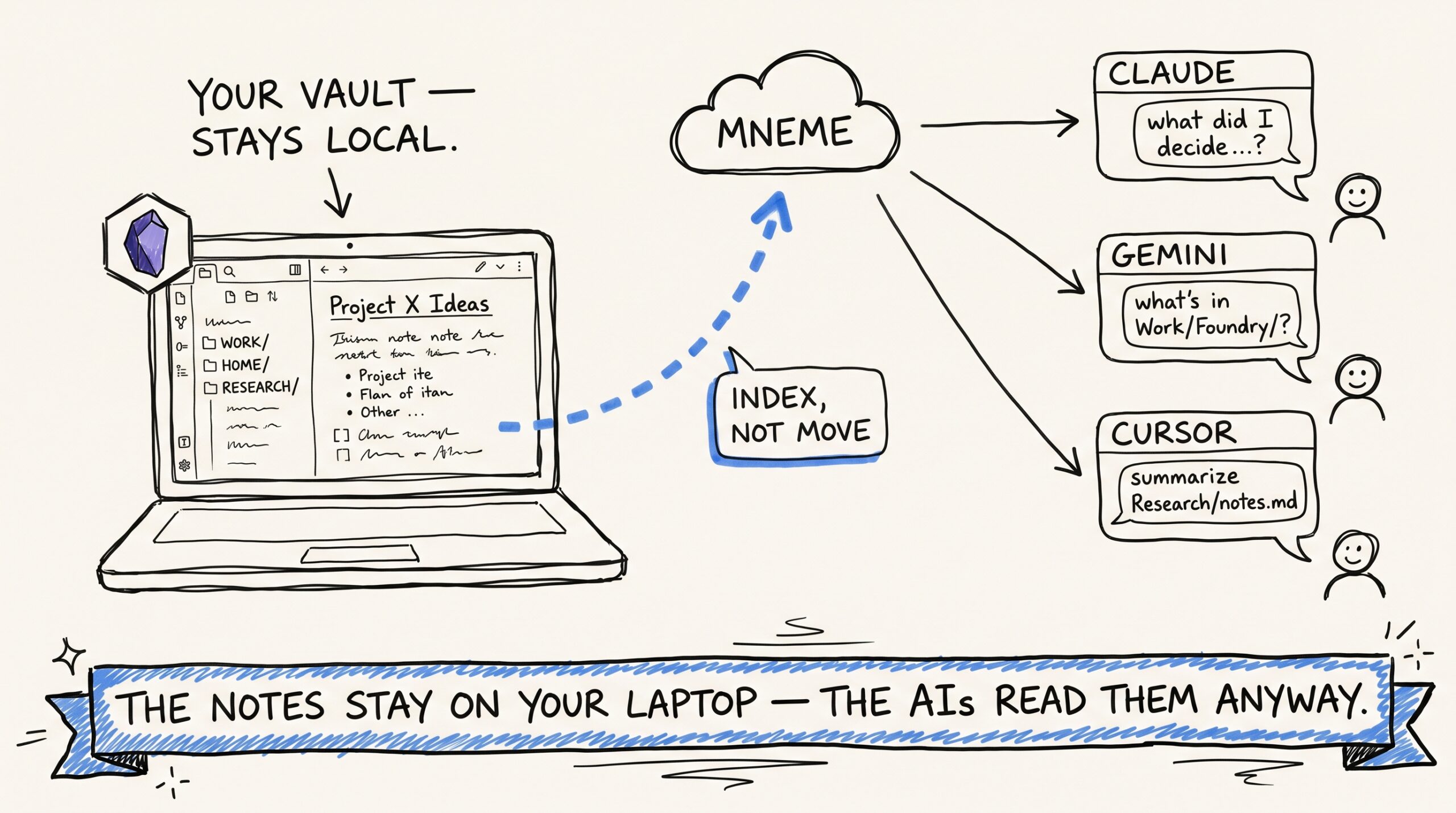
Mneme is the bridge: it plugs Obsidian into every AI you already use. This post is about wiring it up the right way: a nightly sync, idempotent ingest, and notes that survive across re-runs without duplication, drift, or surprise.
Why plug Obsidian into every AI you use
Obsidian is the right substrate for human-authored knowledge: plain markdown, local-first, your own folder structure, no vendor pulling the rug. You decide what gets written down and where it lives.
But Obsidian is a reading tool. The notes are passive. When you ask Claude “what did I decide about the Foundry pricing in the kickoff meeting?”, Claude has no way to look. You either alt-tab to Obsidian and search, or you re-explain. The vault’s value compounds for you and stays invisible to the AI.
Mneme inverts that. The vault stays where it is — local, yours, version-controlled if you want — and a small script publishes its contents to your Mneme vault. Every assistant you authorize reads from the same place. Your Obsidian vault becomes the AI’s substrate without leaving your laptop.
How a note gets into Mneme without duplicating
Two things make the nightly sync safe to run forever:
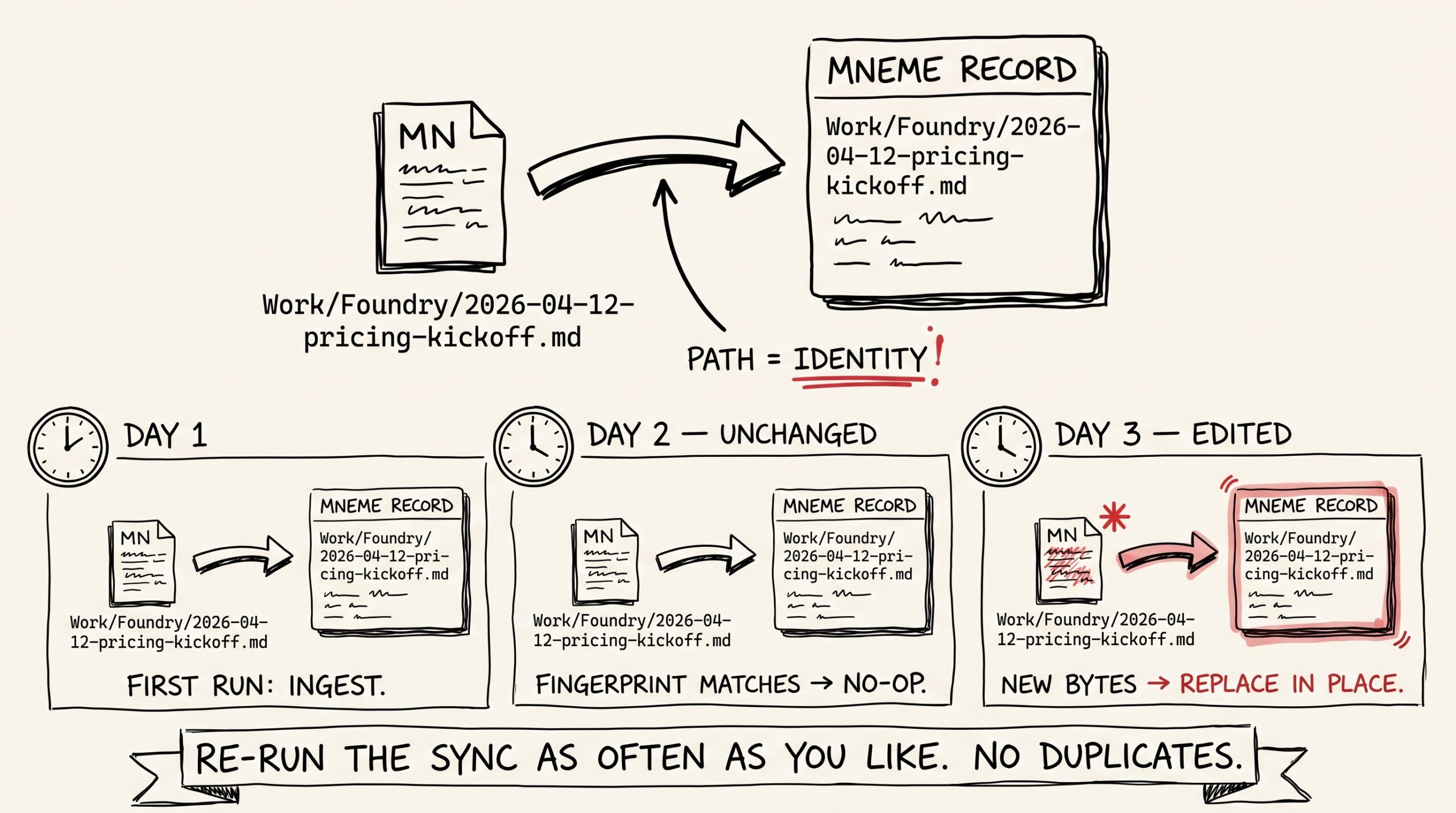
First, the path is the identity. A note at Work/Foundry/2026-04-12-pricing-kickoff.md always maps to the same Mneme record, no matter how many times you re-sync. Re-running the script doesn’t create copies. It just confirms what’s already there or updates it in place.
Second, the body is fingerprinted. Mneme records a fingerprint of each note’s contents when it ingests. On the next sync, if the fingerprint matches, nothing happens — no re-processing, no churn. If you edited the note since the last sync, the old indexed text gets cleared and the new contents get indexed in place.
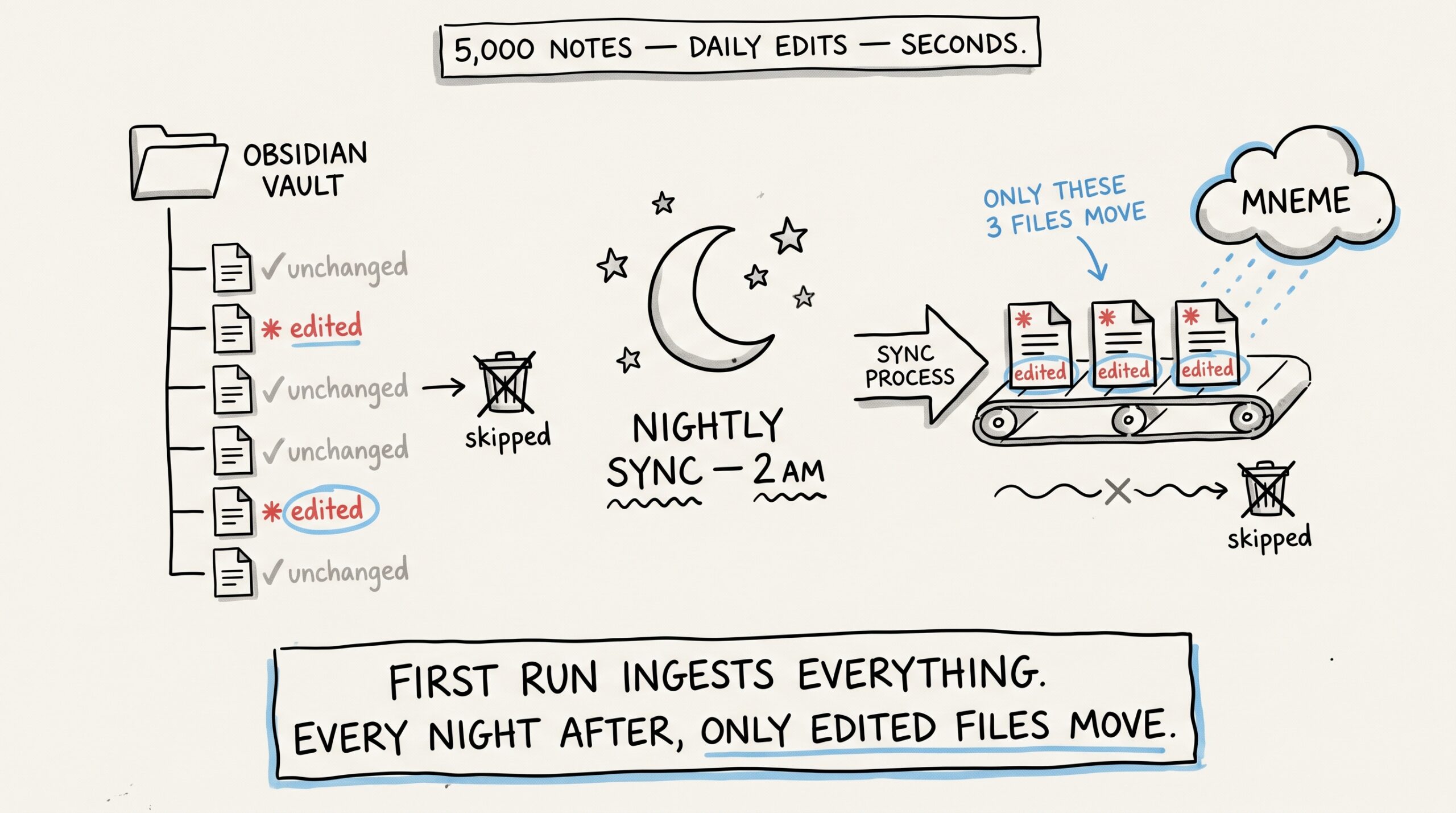
This is the property that makes a nightly walk safe. You can sync every file in your vault every night without creating duplicates and without burning compute on unchanged content. The first run ingests everything; every run after that only does real work for files that actually changed.
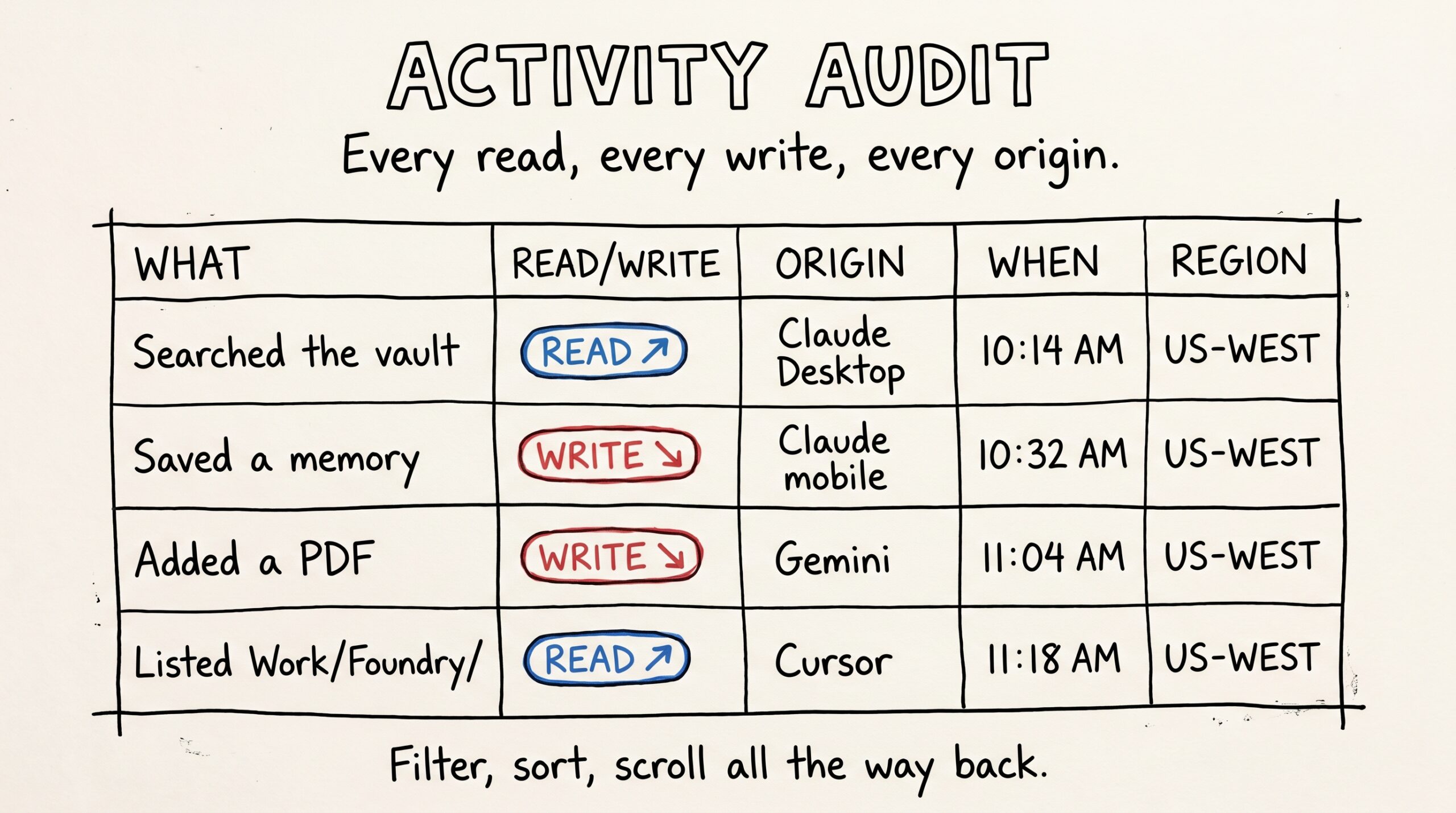
When you want to verify the sync ran cleanly, open Files Mneme has ingested in the Mneme app and filter to note. The notes are there with their folder paths, last-modified timestamps, and previews. That’s the receipt.
The nightly sync (in shape, not in code)
Most people end up with a small script that:
- Walks the vault folder.
- Hands each markdown file to their AI assistant — or to a tiny harness that calls Mneme directly — with the file path and contents.
- Runs every night via
cronorlaunchd.
A 5,000-note vault takes seconds after the initial sweep, because everything is fingerprinted and unchanged files are no-ops. If you’d rather not write the script yourself, the AI assistants can do this for you on demand: “Claude, sync the markdown files under ~/Obsidian/Work/Foundry/ into Mneme.” That’s a one-shot. The nightly version is the version that compounds.
A note about being a good citizen: if your vault has thousands of brand-new files in a single first run, group them in batches of 50 or so with a beat between. After that initial sweep, daily edits are tiny.
Folder semantics that just work
Your existing Obsidian folder structure becomes searchable structure on the AI side for free. A note at Work/Foundry/2026-04-12-pricing-kickoff.md is reachable as part of Work/, as part of Work/Foundry/, and by its full path. The path is the structure.
In practice:
- “What did we decide about pricing in the Foundry kickoff?” — the assistant scopes to the
Work/Foundry/folder and surfaces the meeting note. - “What’s in
Work/Foundry/?” — the assistant lists every note in that folder, newest first. The AI-readable version of opening the folder in your sidebar. - Tags from your YAML frontmatter ride along on the note and are filterable the same way.
Most people discover that the folder structure they already have is more legible to an AI than they expected. The structure was for you, but it ports.
Restoration is byte-identical
This is a small property that does a lot of heavy lifting if you ever care about it.
Every note’s body is stored alongside its fingerprint. If you ever want to verify that what Mneme has matches what your vault has, you can. Mneme returns notes byte-for-byte: no reformatting, no whitespace normalization, no sanitization.
What that gives you, concretely, is the ability to treat Mneme as a parallel store you can verify against your vault. And if you ever want to walk away, the Request data button on the Settings page returns a ZIP with every note’s body intact, sized so you can drop it back into a fresh Obsidian vault without losing a character.
What this looks like after a week
You set up the nightly sync Sunday night. By Monday afternoon, every note you’ve ever taken is part of your Mneme vault.
You ask Claude Desktop “what did I write about that contractor we hired for the bathroom remodel?” It looks through your Home/Renovation/ notes and returns the meeting summaries. You did not switch to Obsidian. You did not type a search query into a sidebar. You asked.
By Friday, it’s ambient. Your vault is the AI’s reference material. Every assistant you connect inherits the same reference material the moment it’s authorized. The decision “do I write this in Obsidian?” now has two payoffs — your future self can find it, and your AI can use it.
Things Mneme will be honest about
A few things.
Identity is the path. Renaming a file in Obsidian creates a new note in Mneme and orphans the old one. This is a real footgun if you reorganize your vault frequently. Workarounds: keep paths stable, delete the old version from Files Mneme has ingested when you rename, or live with the duplication for a beat (orphans are cheap to delete later).
Mneme is not a backup. The note bodies are stored and verifiable, but a true backup involves git-tracking your vault locally or using Obsidian Sync. Mneme being content-addressable is convenient; don’t lean on it as your only copy of important notes.
And — for the third post in a row — the privacy model: notes never leave your corner of Mneme. There’s no admin path that reads your vault, no preview-for-support workflow, no warehouse copy. The flip side is that there’s no way to recover something you deleted.
What to try
The starter version of the workflow is one-line: pick five notes from your vault that you reach for often — a project brief, a pinned meeting note, a daily-summary template — and hand them to Claude Desktop with “add these to Mneme.” Then ask Claude about them in the next conversation.
Once that feels right, write the nightly script (or ask your assistant to write it for you — half the people who do this start there). The full vault sweep takes minutes for most people; after that, you stop thinking about it.
The next post is the keystone trust post for Mneme: Reading every move your AI makes on your data.
Or start your vault and add your first note from inside whichever assistant you’re already in.
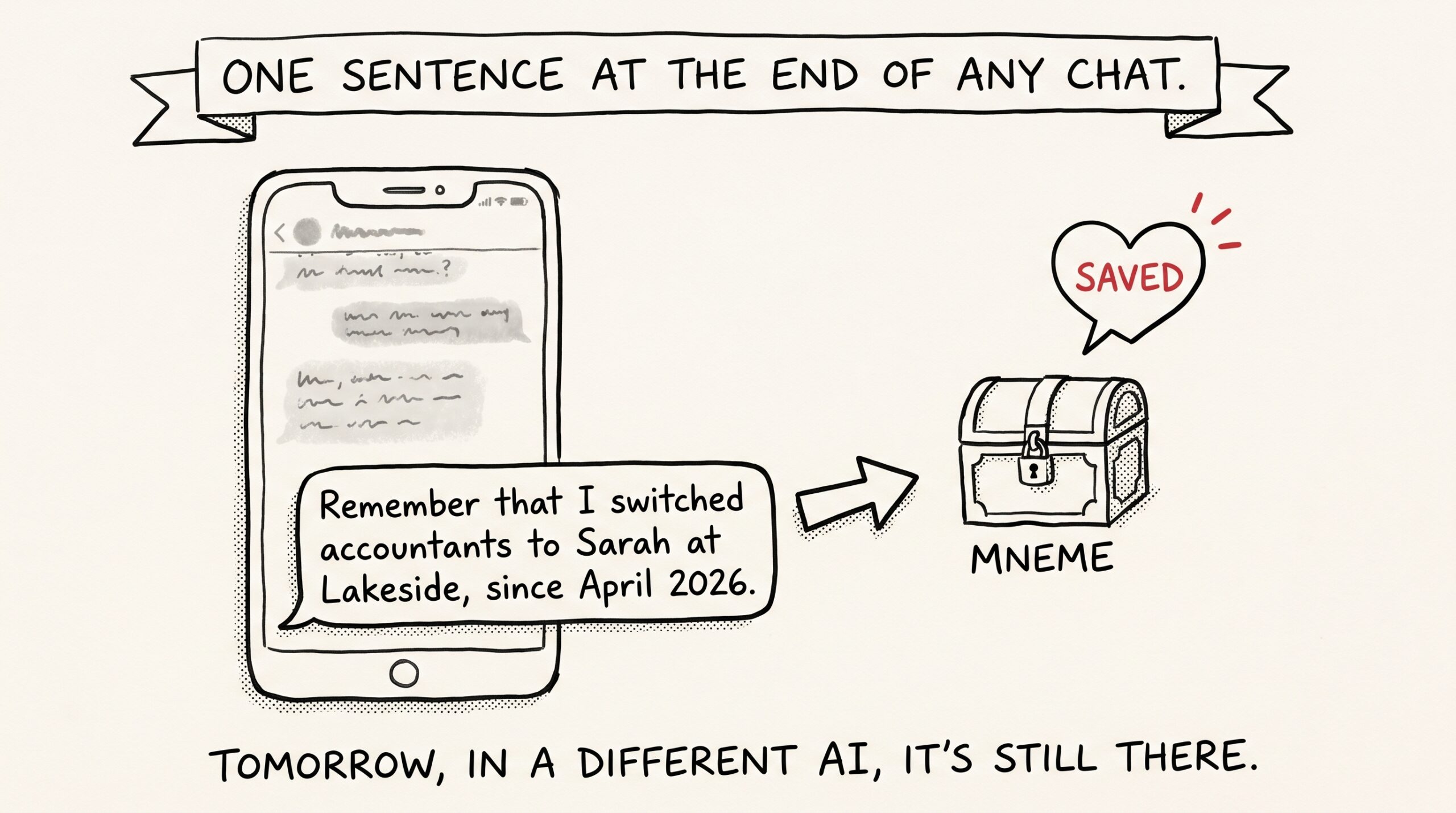
The ‘remember that…’ habit that makes every future AI conversation smarter
The smallest behavior change that makes every future AI conversation smarter is also the laziest one. You add one sentence to the end of a chat. You don't think about…
Reading every move your AI makes on your data
You probably can't answer this question off the top of your head: every move your AI makes on your data — what does that look like over a week? Not…