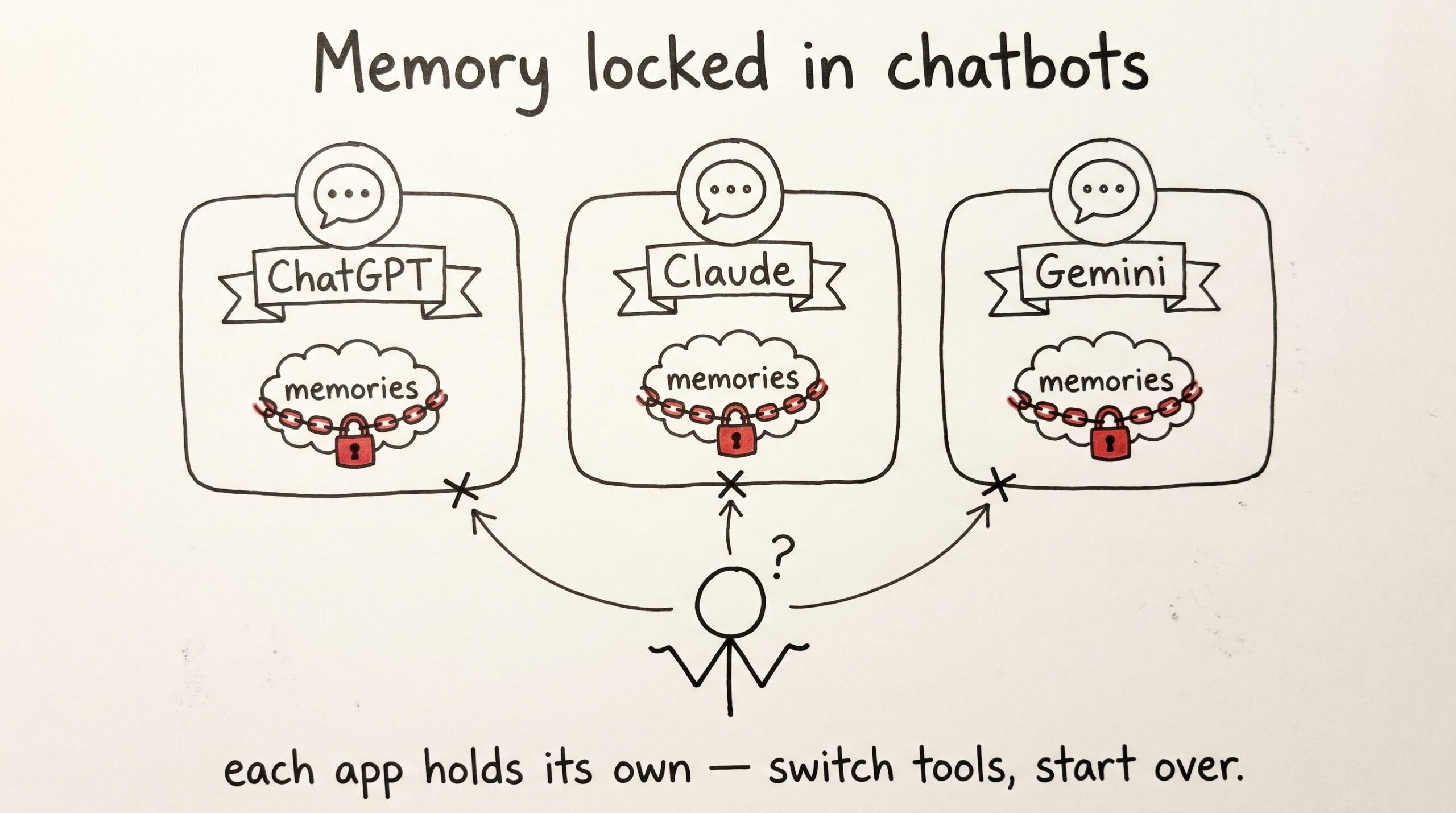
You probably think “AI memory” means the chat history sidebar. The list of titled threads you scroll back through when you’re trying to remember what you and Claude figured out three Tuesdays ago. That’s not memory. That’s a transcript that disappears when you change apps.
Real, portable memory is a place. This post is about what one looks like, and why every assistant you’ll talk to next year is going to need somewhere like it.
The three failure modes you already feel
If you use an LLM for more than an hour a day, you have lived all three of these. You may not have named them.
Failure one — the cold start. Every new conversation begins with a small ritual. You paste the same product context, the same OKRs, the same three links to your team’s wiki. The assistant catches up. The assistant forgets. Tomorrow you do it again. The cost isn’t the typing — it’s that you ration what you actually ask, because half the question is just re-orienting the model.
Failure two — the lock-in. You taught ChatGPT a year of your preferences, then Claude got better at long-form writing and you switched. None of what you taught moved. Worse, the next time something better appears (and it will), you’ll do it again. Memory inside a chatbot is a hostage; it doesn’t follow you out the door.
Failure three — the introspection gap. You uploaded a photo of a spreadsheet last week and asked Claude to summarize it. What did Claude actually see? What did it store? Could you delete it? Could you export it? You don’t know. There’s no audit. There’s barely an interface.
These three failures are different shapes of the same missing thing: a place your memory lives that isn’t inside any one assistant.
What “memory” looks like when it’s a place, not a feature
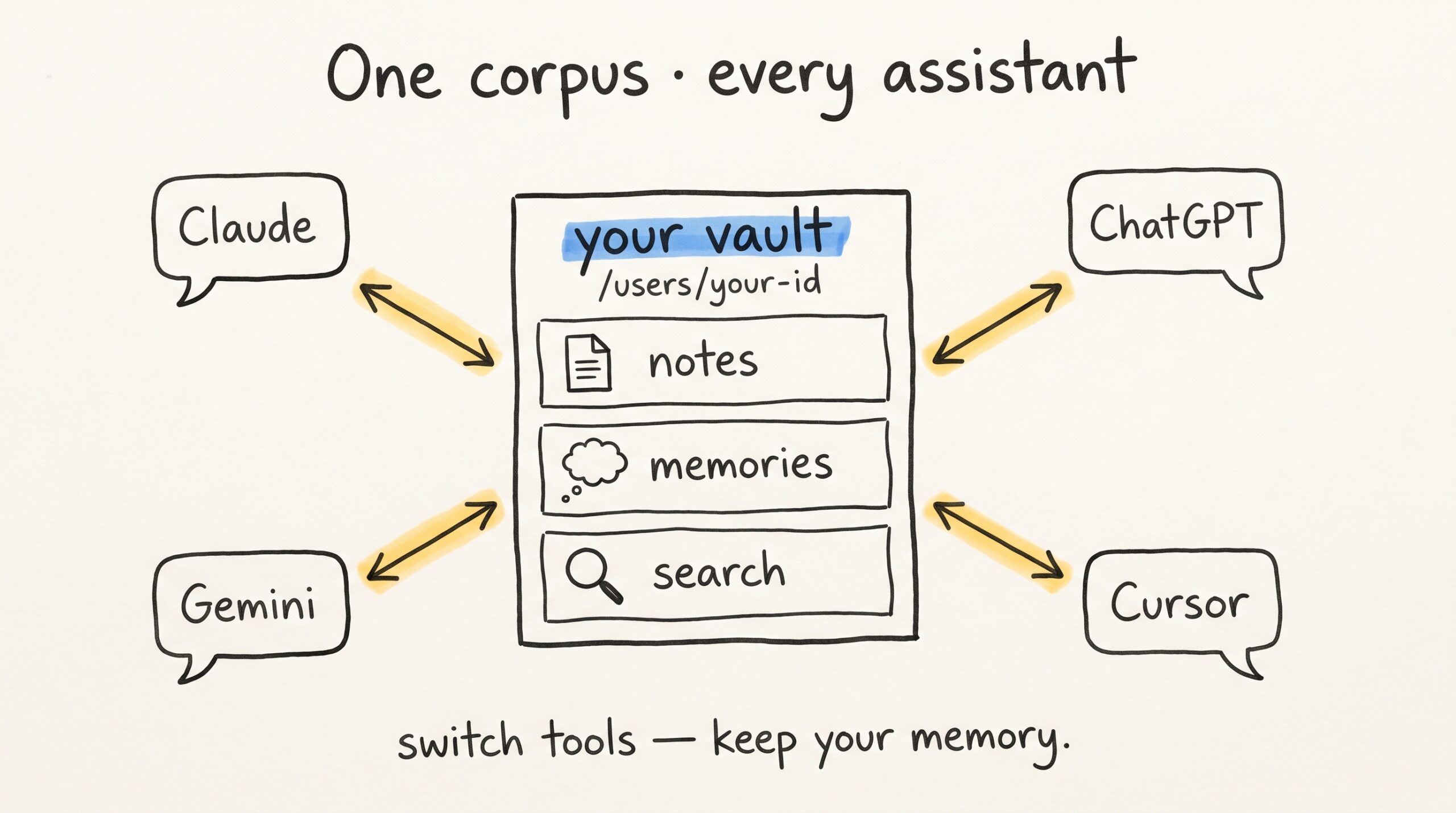
Mneme is built around a small idea. Your memory is your vault, sitting in one durable place, reachable by any AI you authorize. The vault holds three kinds of thing, and the entire product is a careful unfolding of those three.
Notes. Markdown documents — daily journals, meeting notes, the rental agreement you photographed last March, a project brief you wrote in Obsidian. The path you give a note is its identity, so re-syncing the same note from your Obsidian vault is a no-op. If the bytes change, Mneme replaces the indexed text in place. If they don’t, nothing happens. Deduplication isn’t your problem.
Memories. Short, durable facts. “My new accountant is Sarah at Lakeside, since April 2026.” “I prefer pull requests bundled, not split.” “The dog’s vet is Dr. Imani, takes appointments only on Wednesdays.” You write them with the Save memory habit at the end of any chat. Mneme remembers them and the next assistant you open inherits them.
Search. Recall that handles both “what did I write about that contractor last August?” and “who is Sarah?” without making you pick a different tool for each shape of question. The right paragraph comes back with the document name and page number, ready to verify.
That’s the whole product surface. Everything else — image capture, PDF reading, dashboards, exports — is the plumbing that funnels into those three.
How any AI talks to portable memory
The protocol matters more than you’d think.
Mneme is reachable through MCP — the open standard that lets language models call external tools. Claude Desktop speaks it. Claude Code speaks it. Cursor speaks it. Gemini CLI speaks it. ChatGPT’s connector framework speaks it. By the time you’re reading this, more assistants will too.
Connecting any of those to Mneme is a one-time moment. The harness asks for your MCP connector URL, you paste https://mneme.tools/mcp from your Settings page, and Mneme emails you a confirmation link. You click it. The new assistant is wired in.
From then on, every read and write that assistant makes against your vault is scoped to your account. There is no shared collection. There is no global pool. The vault is a tenant of one.
The thing this buys you is not technical elegance. It’s the answer to failure two: the next assistant inherits the same vault the moment you click “confirm.” You don’t migrate. There’s nothing to migrate. The memory was never inside the chatbot.
What this looks like in a Tuesday
Concrete is more useful than abstract here. Here is one day with Mneme in the background.
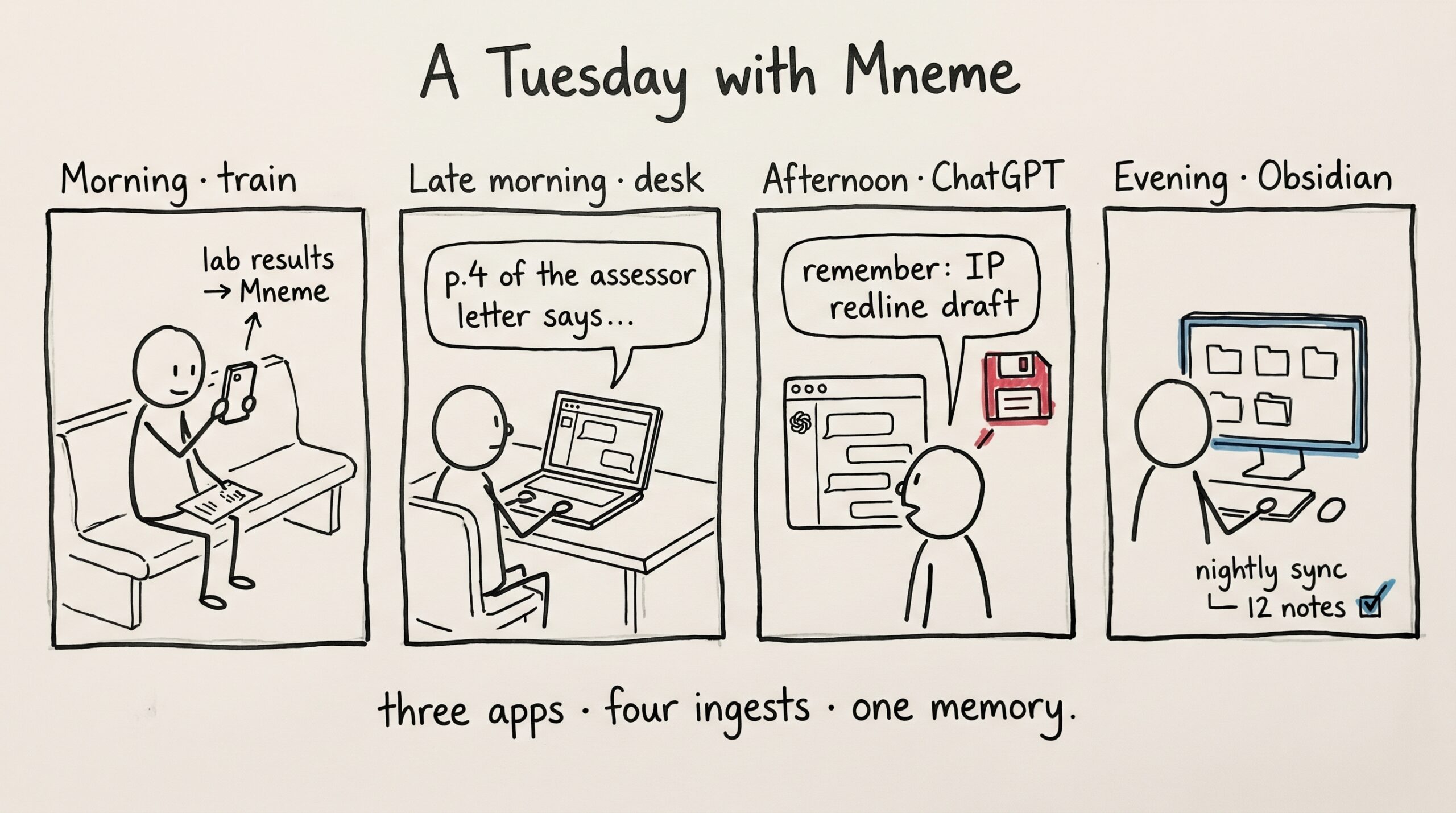
Morning, on the train, Claude mobile. You photograph the lab results from yesterday’s blood draw and tell Claude “add this to Mneme.” By the time you’re at your desk, your LDL number is searchable.
Late morning, Claude Desktop. You’re drafting a property tax appeal. “What did the assessor’s letter say about the comparables?” The assistant looks through your vault and returns the relevant paragraph from a PDF you added in February, with the page number. You quote it verbatim. The chat stays focused on the appeal.
Afternoon, ChatGPT (because someone shared a link and you were already there). You ask about a contract clause. “Remember that I asked about IP assignment on the Foundry deal,” you say at the end. The fact gets saved. Tomorrow when you open Claude Code to draft the redline, the recall picks it up.
Evening, Obsidian. Your nightly sync walks the vault and adds whatever changed today to Mneme. The notes you didn’t change are no-ops. You don’t think about it.
That entire day involved three different assistants, two operating systems, four ingest moments, and one vault. The vault didn’t move; the assistants did.
What Mneme isn’t pretending
Honesty earns the right kind of reader.
Mneme is a young product. The tool surface is deliberately small — Mneme would rather expose a few sharp primitives than thirty blunt ones, because modern AI assistants are good at composing simple parts. Workspaces — shared vaults between collaborators — aren’t built yet. They are next. Today, every vault is owned by exactly one user.
Recall isn’t magic. There are queries where you’ll get better answers by listing a folder than by asking a fuzzy question. The right move is usually to scope your question (“in my Foundry folder…”, “from last quarter…”) and let the AI narrow the search. The better you get at framing, the better the answers.
And there’s no model running inside Mneme. The intelligence is rented from whichever assistant you’re using; the memory is yours. Mneme stores your content, hands the right paragraph back to whichever AI you authorized, and stays out of the way.
Why this matters now
The interesting thing about MCP is that it’s becoming the common language of AI tools faster than anyone expected a year ago. A standard wins when enough vendors decide independently that not adopting it costs more than adopting it. That’s where MCP is.
What that means in practice is that you’re about to have a lot of choices. Choice is good. Choice without portability is a tax. Mneme exists so that every choice you make about which assistant to use is a small one — what you say, what you ask, where you sit — instead of a large one — do I have to start over?
The old answer to “how do I make my AI remember things?” was “pick a vendor, hope they don’t change.” The new answer is “keep your memory somewhere that isn’t a vendor.”
Somewhere like a place.
If any of the failure modes at the top of this post sounded familiar, the rest of the blog is going to be useful to you. The next post shows what happens when you photograph a paper document into Mneme and ask any AI about it later. After that, PDFs. After that, the Claude-to-Gemini switch story.
Or you can skip ahead. Start your vault and connect it to whichever assistant you’re already in.
The links you never added
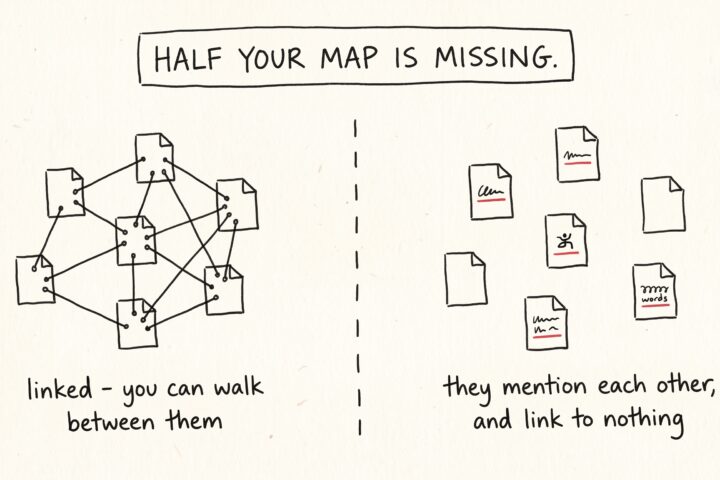
Open any note in your vault and read it the way a stranger would. It's full of references. A meeting note mentions a project. A recipe mentions the dinner party…
The note that writes itself
Somewhere in your vault there's a note that quietly runs everything: the routing note. It's the page your AI assistants read to learn where things go — receipts here, lab…